
Installation Activation
Download Windows
Download Instructions
Steps:
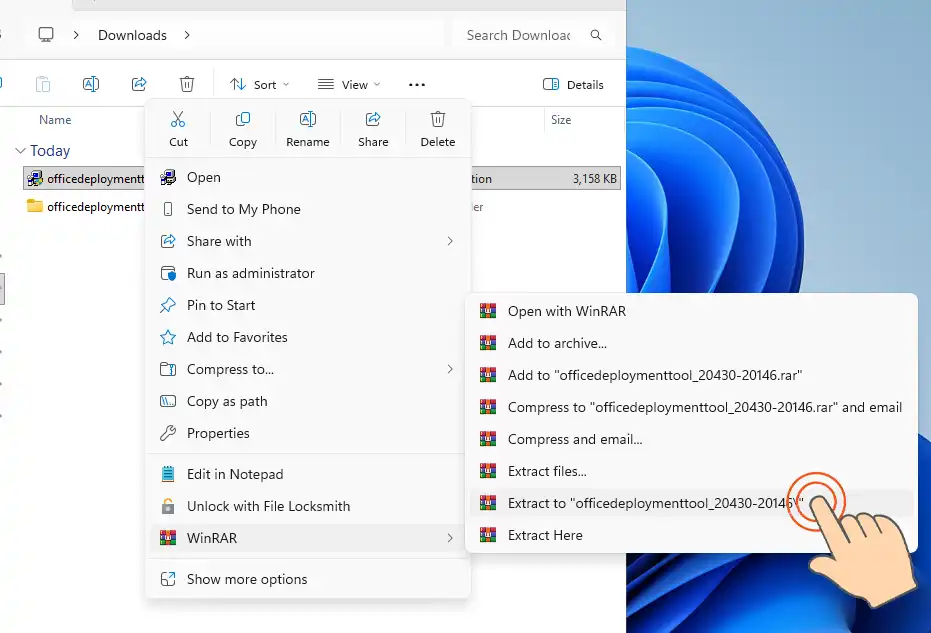
1. Download and extract the Office Deployment Tool.
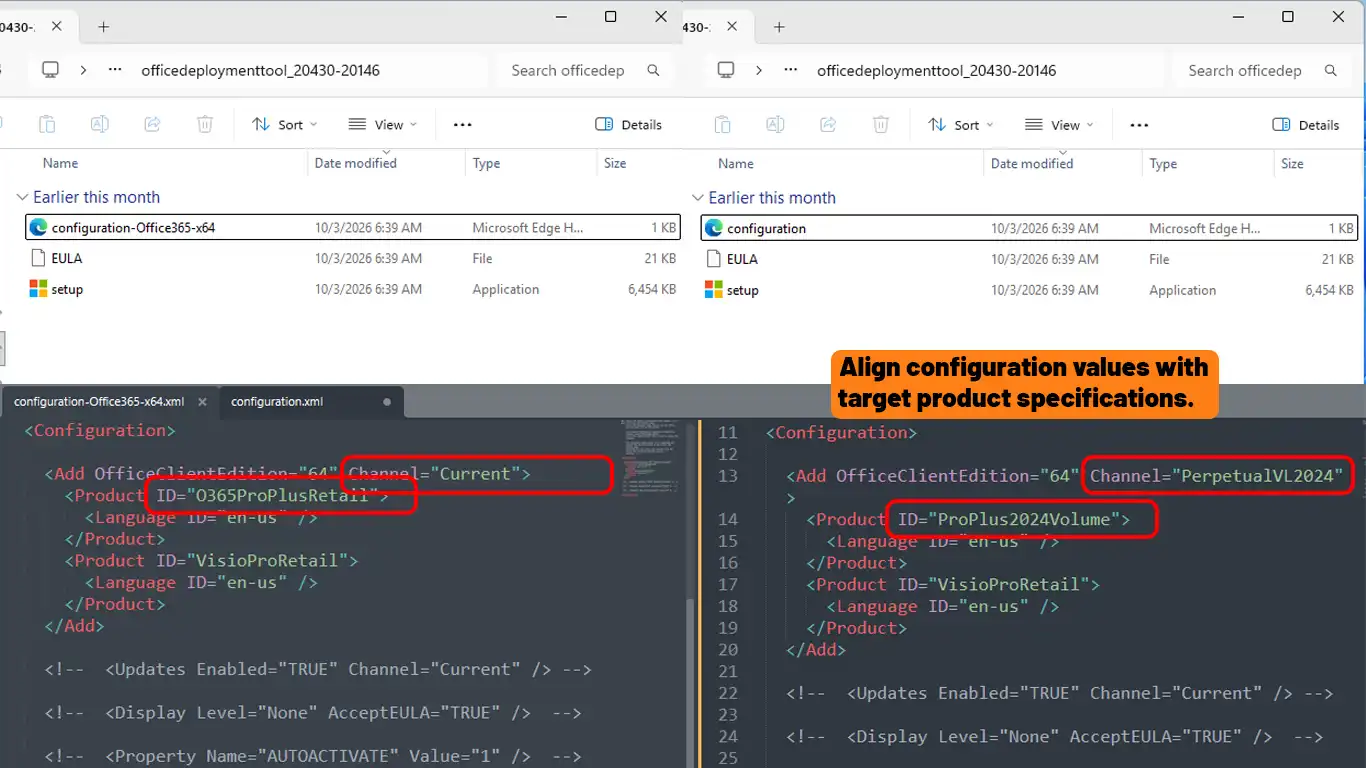
2. Create or prepare the “configuration.xml” file. If you prefer a ready-to-install official file, please contact us for assistance.
3. Open Command Prompt as Administrator.
4. Run the following command:
setup /configure configuration.xml5. Complete the Microsoft Office LTSC installation process.
Steps:
- Visit the Microsoft Office setup website: https://setup.office.com
- Sign in using your Microsoft account.
- Enter product key
- Download and install Microsoft Office easily.
- Open Microsoft Office (Word, Excel, PowerPoint, etc.) after installation.
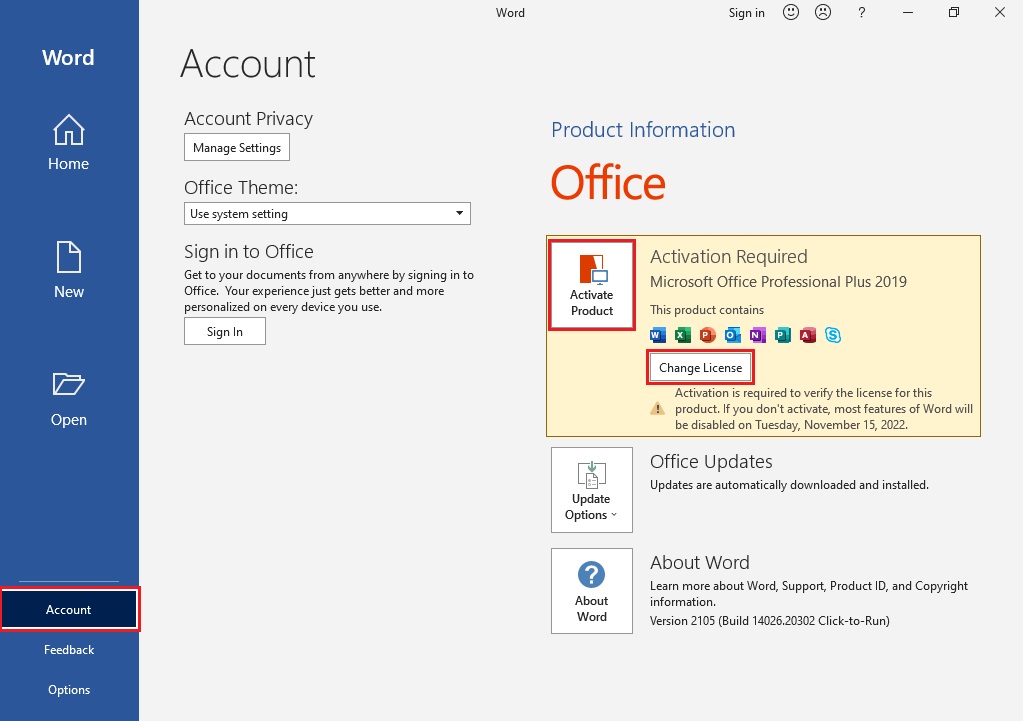
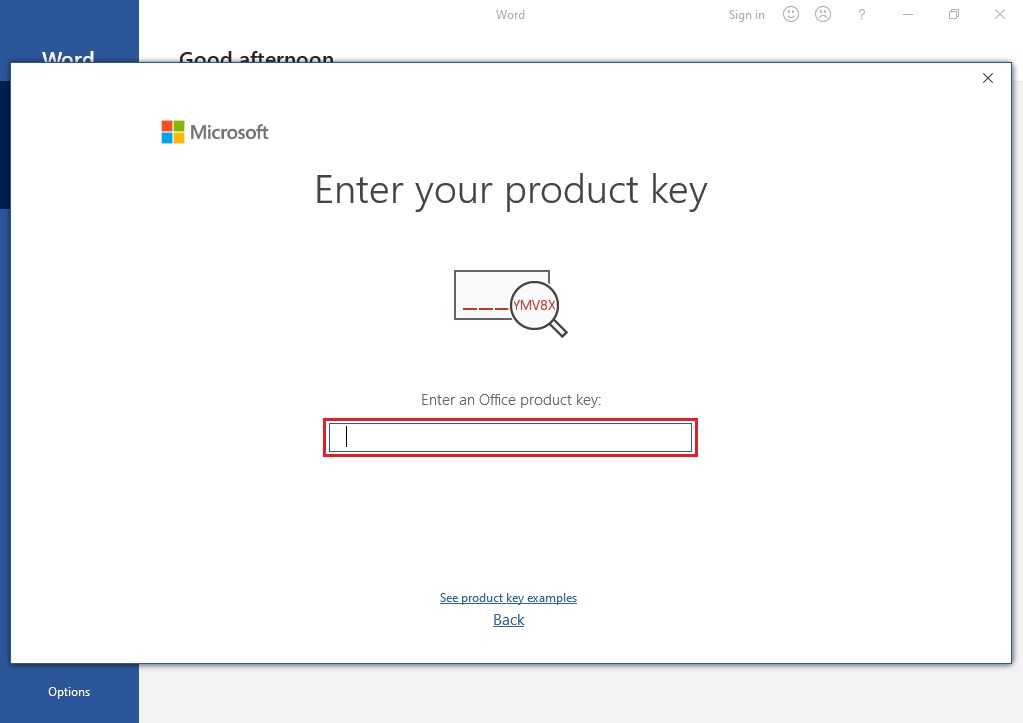
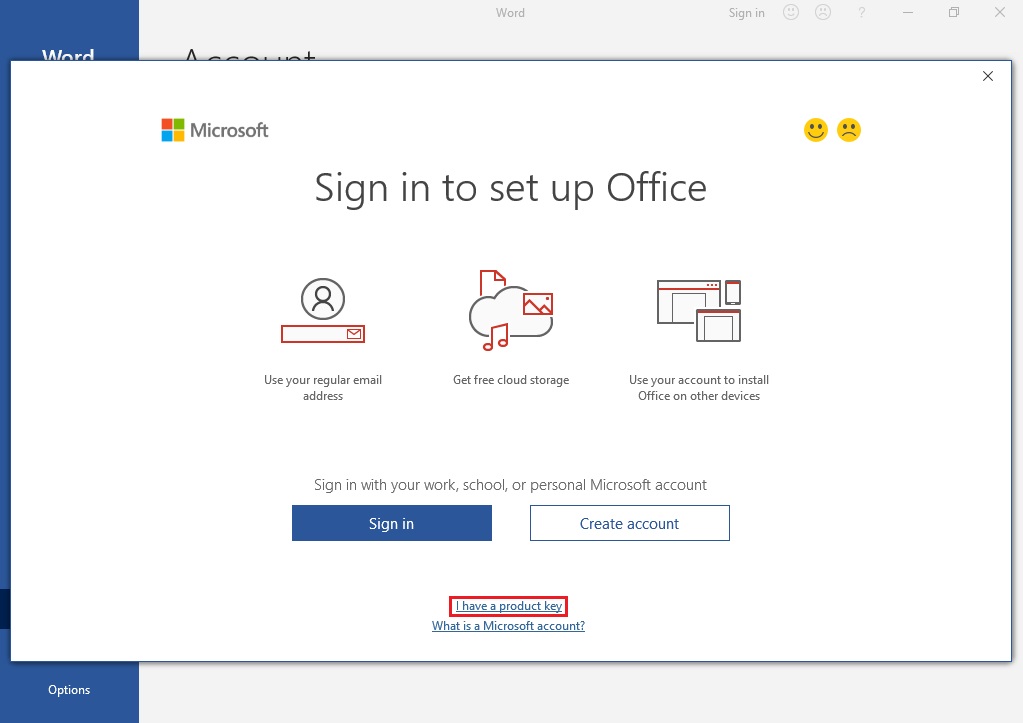
- Enter product key when prompted.
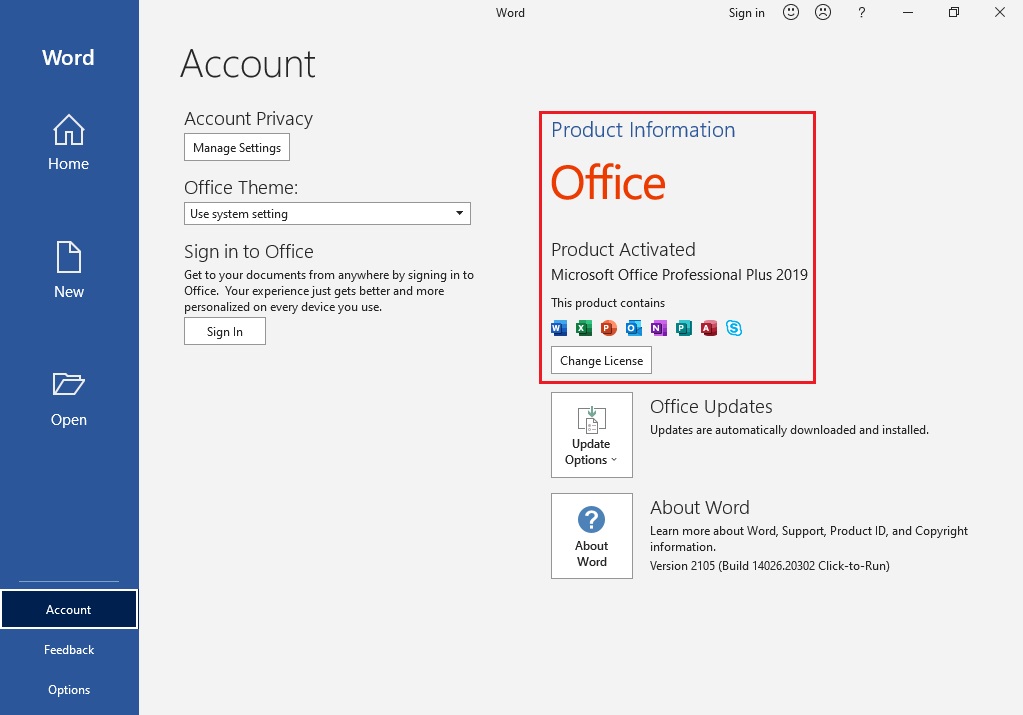
- Follow the activation steps on-screen to verify your license.
- Once completed, Office will be activated and ready to use.
If you experience any issues, please contact our support team at support@rabbit.com.es
necessary
I need it
Hello 👋, Could you please let us know which item you need so we can assist you?
thankyou
Thank you. We look forward to serving you again.